
🧠 Understanding AI Fundamentals
Purpose: Build your understanding and confidence with AI concepts before bringing them to your classroom. This is your AI 101 primer – no computer science degree required!
📚 What is AI, Really?
Core Concept
AI is not "magic" or "thinking." It's software that recognizes patterns in data and makes predictions based on what it has learned.
Simple Teacher Definition
💡 AI is when a computer uses data to make predictions, like finishing your sentence in a text message or suggesting a song you might like.
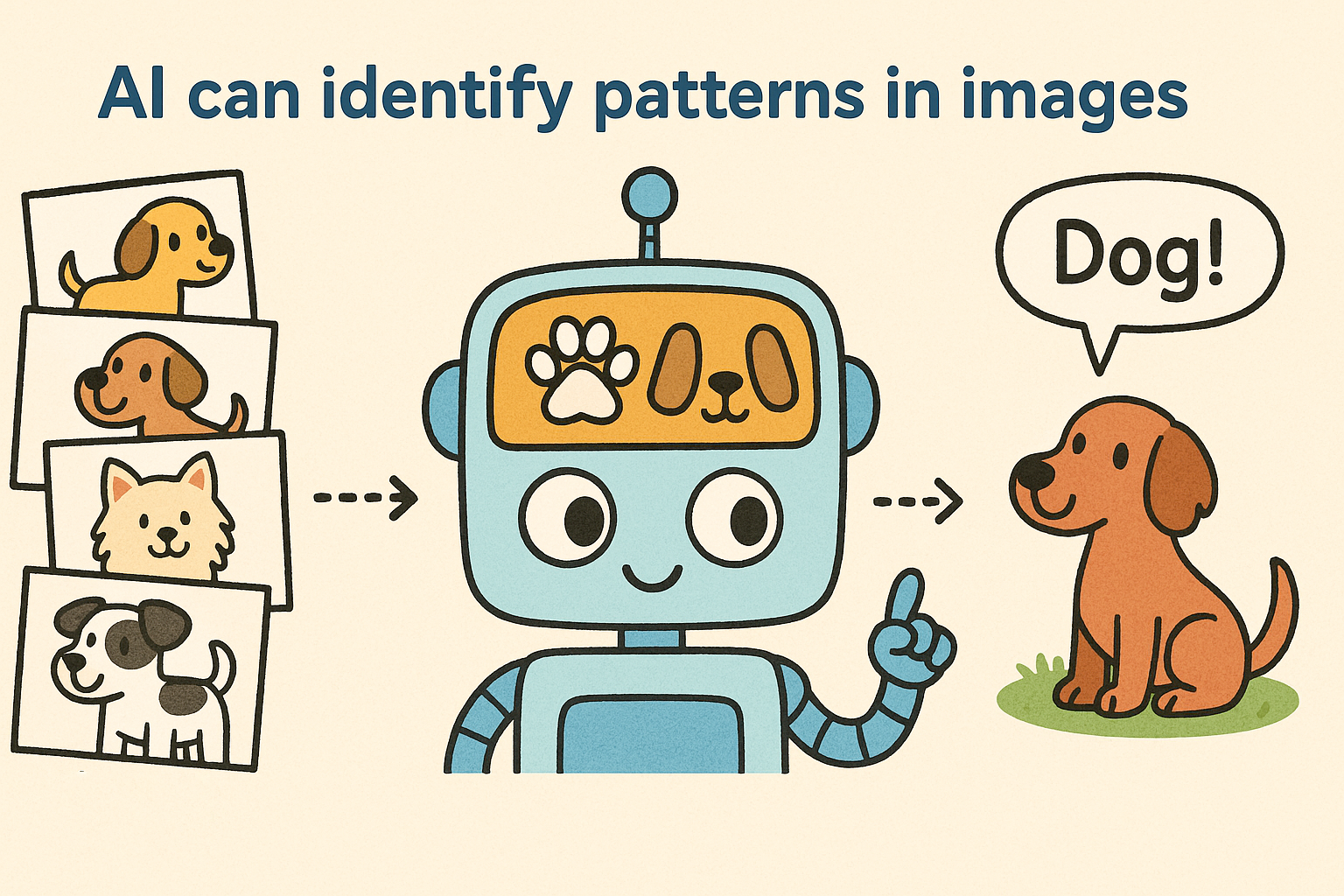
Modern AI has essentially "read" millions of texts and "looked at" millions of images from the internet. It can now recognize patterns in language and visuals, allowing it to generate new content that follows these patterns. While this can make AI seem conscious or intelligent, it's simply recognizing and reproducing patterns it has learned.
Types of AI You'll Encounter
Narrow AI (What We Have Today)
- Recommendation Systems:
- Netflix suggesting shows
- Amazon recommending products
- Classification Systems:
- Spam filters (this is spam, this is not spam)
- Photo face detection (here are the faces in a photo)
- Predictive Systems:
- Autocorrect
- Weather forecasting
- Traffic predictions
Generative AI (The New Wave)
- Text Generation: ChatGPT, Claude, writing assistants
- Image Creation: DALL-E, Midjourney, Stable Diffusion
- Audio/Music: Voice cloning, music composition tools
What We DON'T Have
- AGI (Artificial General Intelligence): AI that truly thinks, reasons, and learns like humans
- Conscious AI: Self-aware systems with feelings or intuition
🔧 Key Building Blocks of AI
1. Data – The Fuel
AI learns from massive collections of examples. The quality and quantity of data directly impacts what the AI can do.
- Text AI trained on books, websites, articles
- Image AI trained on labeled photos
- Voice AI trained on speech recordings
2. Algorithms – The Rules
The mathematical recipes that process data and find patterns. Think of these as the "instructions" for learning.
3. Models – The Trained System
The result after an algorithm processes data. This is what makes predictions or generates content.
4. Training & Feedback – The Learning Process
AI improves through cycles of:
- Training with examples e.g
- Q: What color is the sky? A: Blue when sunny, sometimes gray when cloudy, sometimes red at sunset
- Q: When does it rain? A: It can rain anytime clouds form
- Making predictions
- The sky is dark today, will it rain? The sky is gray then it’s cloudy and it will rain.
- Getting feedback
- Incorrect, there is only a chance it can rain, humidity, temperature and dew point knowledge is also required.
- Adjusting its approach
- The sky is dark today, will it rain? There’s a change it could rain, let me find out the humidity, dew point and temperature to give you a better prediction.

🌟 Everyday Examples Teachers Can Relate To
You're Already Using AI Daily!
AI Tool | What It Does | How Students Know It |
Autocorrect | Predicts and fixes spelling | Every text message |
Email Filters | Sorts spam from real mail | Gmail categories |
Recommendations | Suggests content you might like | YouTube "Up Next" |
Voice Assistants | Understands spoken commands | Siri, Alexa, Google |
Maps/Navigation | Predicts traffic and routes | Google Maps ETAs |
Photo Tagging | Recognizes faces and objects | Instagram filters |
Translation | Converts between languages | Google Translate |
Search | Understands what you're looking for | Google autocomplete |
🤔 Teacher Reflection
Which of these do you use without thinking about it? Which ones do your students use constantly? Start your AI conversations here – with the familiar.
⚠️ What AI is NOT
Critical Distinctions
❌ AI is NOT Conscious
- No self-awareness or feelings
- No understanding of meaning
- No real "thinking" – just pattern matching
❌ AI is NOT Always Correct
- Can "hallucinate" (make up convincing-sounding false information)
- May present wrong answers with complete confidence
- Accuracy depends entirely on training data quality
❌ AI is NOT Neutral
- Inherits biases from its training data
- Reflects human prejudices and assumptions
- Can amplify existing inequalities
❌ AI is NOT a Replacement for Human Judgment
- Lacks context and nuance
- Cannot understand ethics or values
- Needs human oversight and verification
💪 Teacher Confidence Builder
Your Teaching Superpower
You don't need to understand the math or coding behind AI. You need a working mental model you can explain to students at their level.
Age-Appropriate Explanations
Elementary (K-5):
"AI is like a really good pattern-finder. It's seen so many examples that it can guess what comes next."
Middle School (6-8):
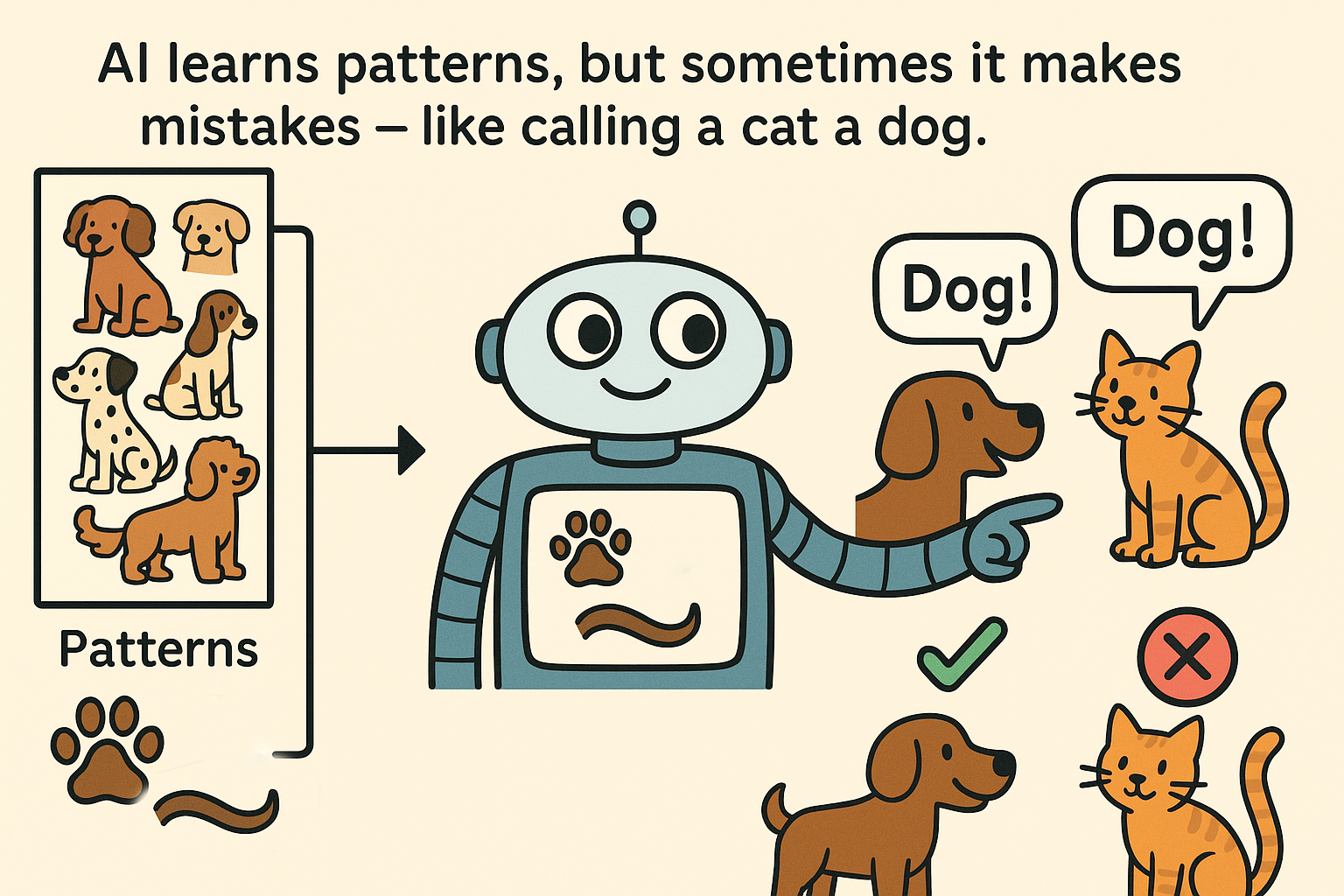
"AI learns by looking at millions of examples and finding patterns. It's like how you learned to recognize dogs – after seeing many dogs, you can identify new ones you've never seen before. But sometimes AI can get it wrong if it hasn’t seen enough data"
High School (9-12):
"AI uses statistical patterns from massive datasets to make predictions. When ChatGPT writes, it's predicting the most likely next word based on patterns it learned from billions of text examples."

Key Takeaway for Teachers
🎯 Think of AI as a sophisticated pattern recognition system, not a thinking entity. It's incredibly powerful at finding and reproducing patterns, but it doesn't understand meaning the way humans do.
🎓 Optional Student-Facing Demos
🏷️ STUDENT-READY ACTIVITIES
Quick Demo: Prediction in Action
- Open any messaging app and start typing a sentence
- Watch the autocomplete suggestions
- Discussion: How does it "know" what you might say next?
- Answer: It's seen millions of similar messages and predicts based on patterns
Bias Detection Exercise
- Use an AI image generator (like DALL-E or Bing Image Creator)
- Generate: "A doctor" vs "A nurse" vs "A CEO"
- Observe: What assumptions does the AI make about gender, race, age?
- Companies are working hard to combat these biases with additional training
- Discuss: Where do these biases come from? (Training data from the internet)
The "AI or Human" Challenge
- Show two paragraphs – one AI-written, one student-written
- Students guess which is which
- Reveal and discuss: What gave it away? What fooled you?
📋 Professional Development Layer
Learning Objectives
After this section, teachers will be able to:
- ✅ Define AI in simple, student-appropriate terms
- ✅ Name and explain 3+ examples of everyday AI
- ✅ Identify what AI is NOT (conscious, neutral, always correct)
- ✅ Explain AI as pattern recognition rather than "thinking"
Key Terms Glossary
- Algorithm: Step-by-step instructions for solving a problem
- Model: A trained AI system ready to make predictions
- Training Data: Examples used to teach AI patterns
- Bias: Unfair preferences learned from skewed data
- Hallucination: When AI confidently states false information
- Pattern Recognition: Finding regularities in data
Discussion Prompts for PLCs
- How does framing AI as "prediction" rather than "intelligence" change how you'll teach it?
- What everyday AI examples resonate most with your students' experiences?
- How will you address the "AI is magic" misconception in your classroom?
Self-Assessment Checkpoint
Try This: Write your own one-sentence definition of AI that you could use with your students. Test it with a colleague – is it clear and accurate?
🔗 Resources for This Section
Name | URL | Description | Difficulty | Grade Level | Free | Organization | Subject Area | Tags | Time Required | Type |
|---|---|---|---|---|---|---|---|---|---|---|
Free online course on using AI to enhance learning outcomes. Introduces AI concepts and practical classroom applications. | Intermediate | Teacher PD | Other | Computer ScienceCross-Curricular | Teacher TrainingFreeAI Fundamentals | Self-paced | Course | |||
National guidelines for AI education organized around five big ideas: Perception, Representation & Reasoning, Learning, Natural Interaction, and Societal Impact. | Beginner | All GradesTeacher PD | AI4K12 | Computer ScienceCross-CurricularDigital Citizenship | AI FundamentalsTeacher TrainingISTE AlignedFreeResearch-backedStandards-aligned | Self-paced | Framework | |||
Free, hands-on AI curriculum for K-12. Complete lesson modules with plans, slides, and worksheets for various grade ranges, all designed for teachers without prior AI knowledge. | Beginner | All GradesTeacher PD | MIT | Computer ScienceCross-CurricularScienceSocial Studies | Complete LessonsFreeAI FundamentalsTeacher TrainingResearch-backed | Multi-day | Lesson Plan | |||
ISTE's comprehensive AI education resources including lesson plan guides, articles, and downloadable guidebooks for different levels (elementary, secondary, computer science). | Beginner | Teacher PDAll Grades | ISTE | Cross-CurricularComputer ScienceDigital Citizenship | Standards-alignedCommunityTeacher TrainingISTE AlignedFree | Self-paced | Guidebook | |||
Research-based framework for AI literacy education focusing on Understand-Evaluate-Use model with emphasis on human judgment and justice. | Intermediate | Teacher PDAll Grades | Digital Promise | Cross-CurricularDigital Citizenship | Research-backedTeacher TrainingAI FundamentalsFreeISTE Aligned | Self-paced | Framework | |||
Comprehensive toolkit for schools to create policies and guidance around AI. Includes sample vision statements, principles for AI use, and presentation materials. | Intermediate | Teacher PD | TeachAI | Cross-CurricularDigital Citizenship | School PoliciesImplementation GuideTeacher TrainingFreeStandards-aligned | Self-paced | Guidebook |
🌟 Essential AI Fundamentals Resources
Quick Classroom Demos (5-10 min)
- 🎨 **Quick, Draw!** - AI drawing game | Tags: Quick Demo, No Account Required, Free
- ✏️ **AutoDraw** - AI drawing assistant | Tags: Quick Demo, No Account Required, Free
- 🤖 **Semantris** - Word association game | Tags: Quick Demo, Student-Ready
Hands-On Learning (15-30 min)
- 📷 **Google Teachable Machine** - Train AI with webcam | Tags: AI Fundamentals, Hands-On, Free
- 🐠 **AI for Oceans** - Train AI to clean ocean | Tags: Hands-On, K-5 friendly
- 🎮 **Machine Learning for Kids** - Scratch + AI | Tags: Hands-On, 6-12
Frameworks & Curricula (Self-paced)
- 📚 **AI4K12 Five Big Ideas** | Tags: AI Fundamentals, Teacher Training, ISTE Aligned
- 🎓 **MIT Day of AI** | Tags: Complete Lessons, Free, All Grades
- 🔬 **Digital Promise AI Literacy Framework** | Tags: Research-backed, Teacher PD
Teacher Resources
- 🛠️ **TeachAI Toolkit** | Tags: School Policies, Implementation Guide
- 🎯 **ISTE AI Resources** | Tags: Standards-aligned, Community
- 🚫 **Common Sense AI Lessons** | Tags: Ethics, Digital Citizenship
🏷️ Resource Selection Guide
By Your Need:
- "I need a 5-minute hook" → Quick, Draw! or AutoDraw
- "I want students to build something" → Google Teachable Machine
- "I need a full lesson plan" → MIT Day of AI
- "I want to understand AI myself" → AI4K12 Framework
- "I need school policy guidance" → TeachAI Toolkit
By Grade Level:
- K-2: AutoDraw, Quick Draw, AI for Oceans
- 3-5: All demos + Google Teachable Machine
- 6-8: Add Machine Learning for Kids
- 9-12: Add Crash Course AI videos
- Teacher PD: Frameworks and toolkits
Professional AI tools for image and video generation/editing. Limited free tier available.
Create surreal art using neural networks. Shows how AI 'sees' patterns.
AI app that describes the world for visually impaired users. Shows AI for accessibility.
Run various AI models in browser. More technical but shows real AI research.
Build Android apps with AI features using block-based programming.
AI judges how well you can sing like Freddie Mercury. Fun music integration.
Add AI capabilities to Scratch projects using extensions for face detection, speech, etc.
AI helps turn rough sketches into polished drawings by recognizing what you're trying to draw.
Shows AI-generated faces that look completely real but are entirely synthetic.
Collection of simple AI experiments and demos from Google. No sign-up needed.
Train AI to recognize images, sounds, or poses using your webcam. No coding required.
Clean up the ocean by training AI to recognize fish vs. trash. No coding required.
AI tries to guess what you're drawing in 20 seconds. Great for introducing pattern recognition.
Word association game powered by AI. Type words related to the given prompt.
Create ML projects in Scratch. Train models for text, images, numbers, or sounds.
Make ethical decisions for self-driving cars. Compare your choices with others globally.
Notes for Implementation
⚡ Getting Started Tips
- Start with yourself: Use AI tools personally before teaching them
- Begin with the familiar: Connect to tools students already use
- Emphasize critical thinking: "Use it but don't trust it blindly"
- Model curiosity: It's okay not to have all the answers about AI
- Keep it practical: Focus on what students will actually encounter
Last updated: September 2025 | Part of the EduAI K-12 AI Literacy Initiative